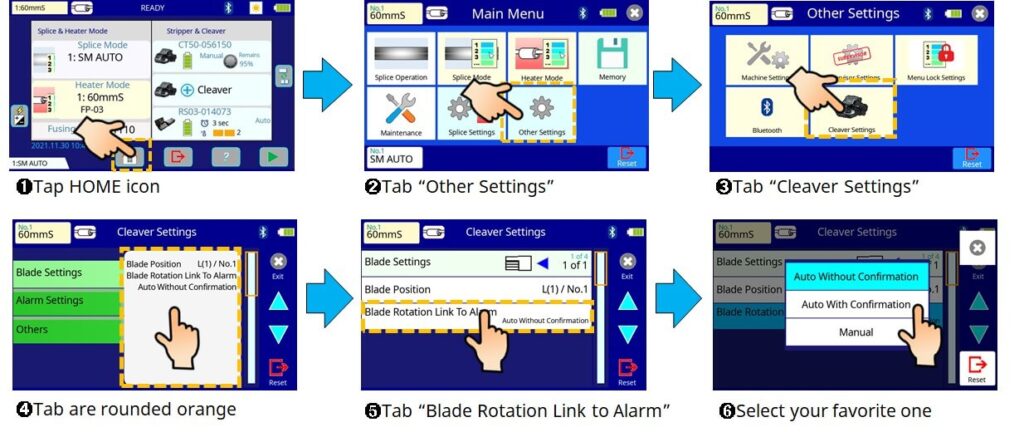
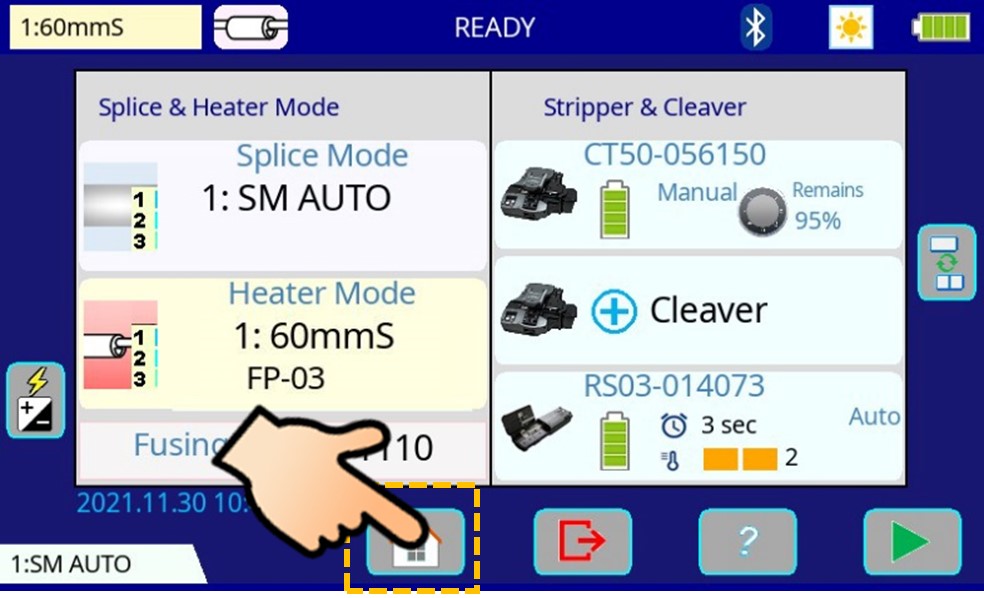
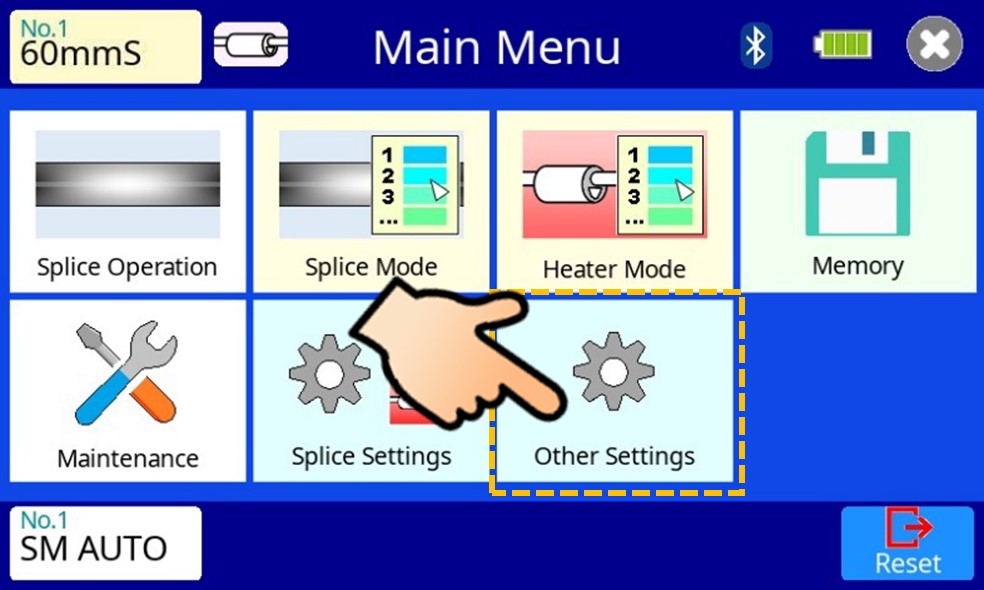
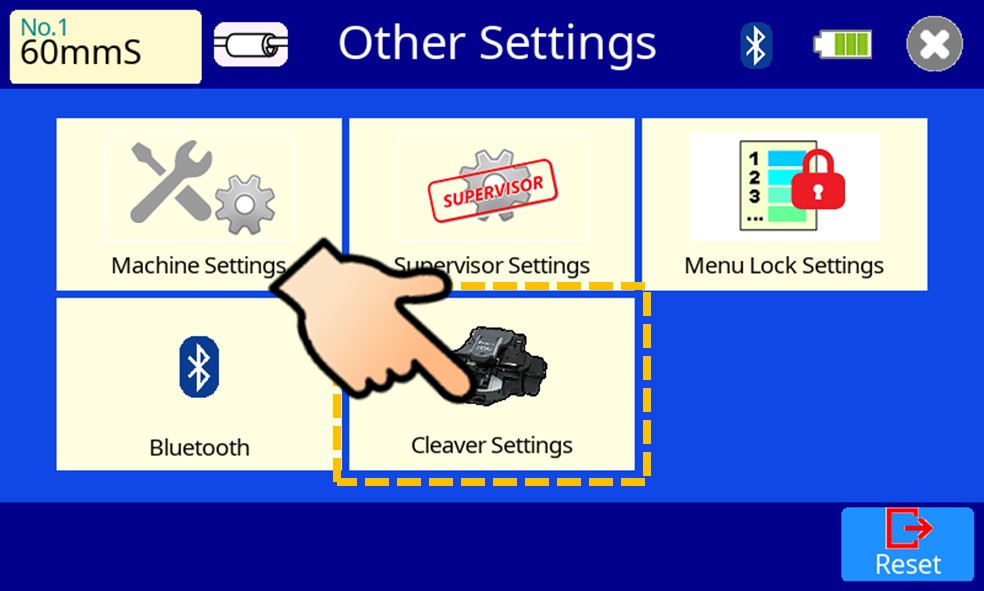
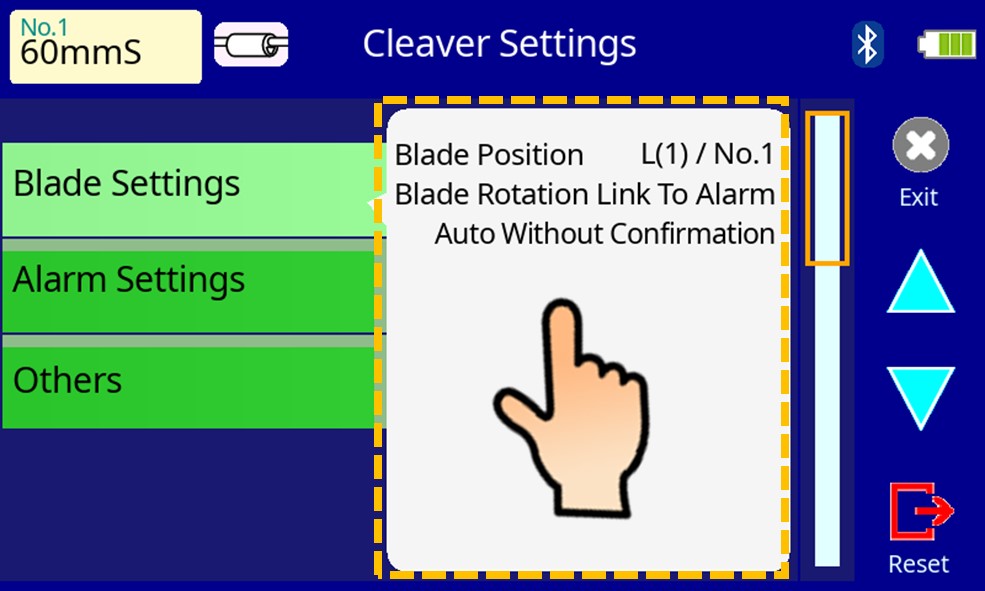
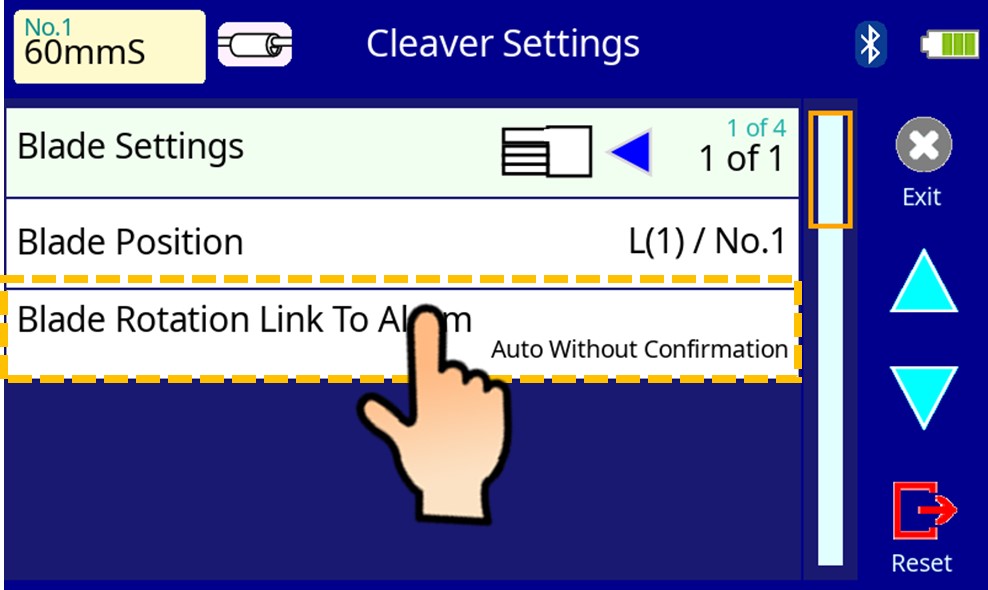
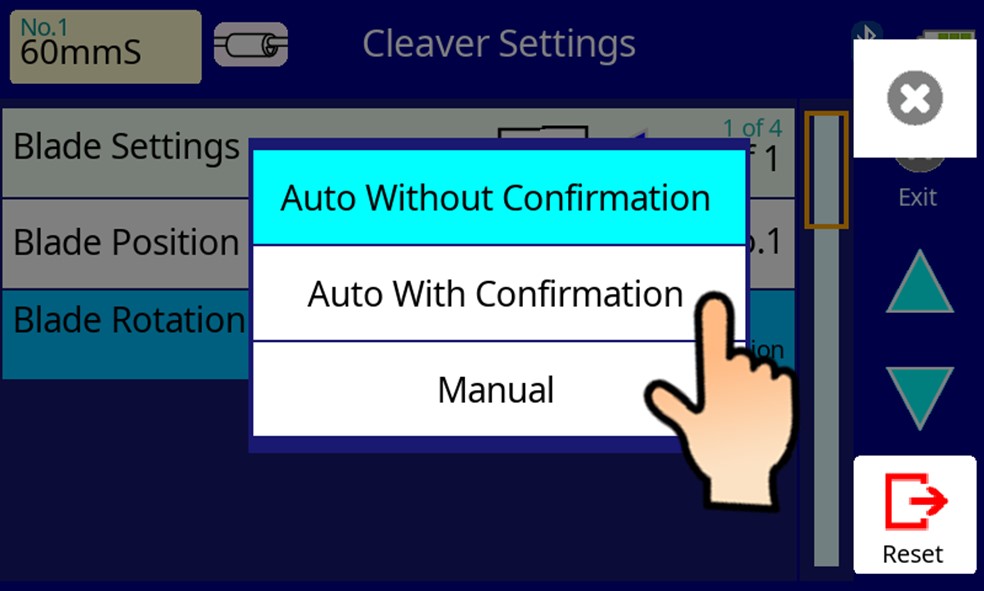
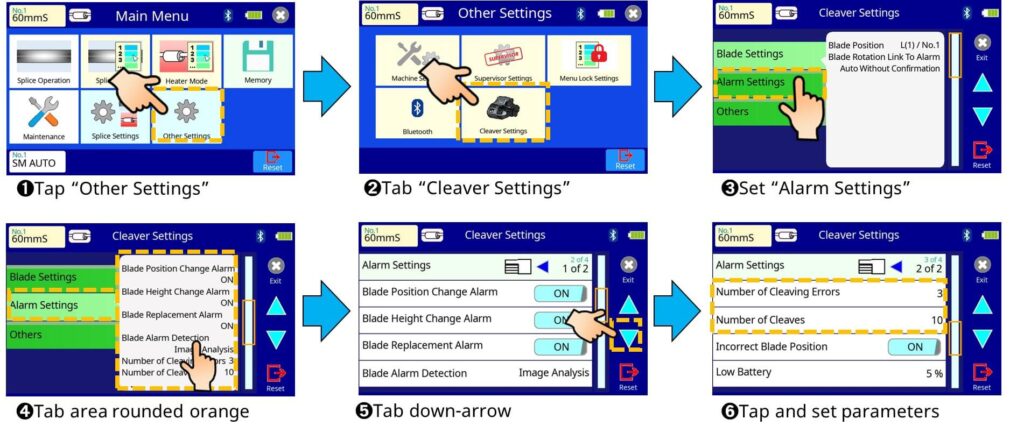
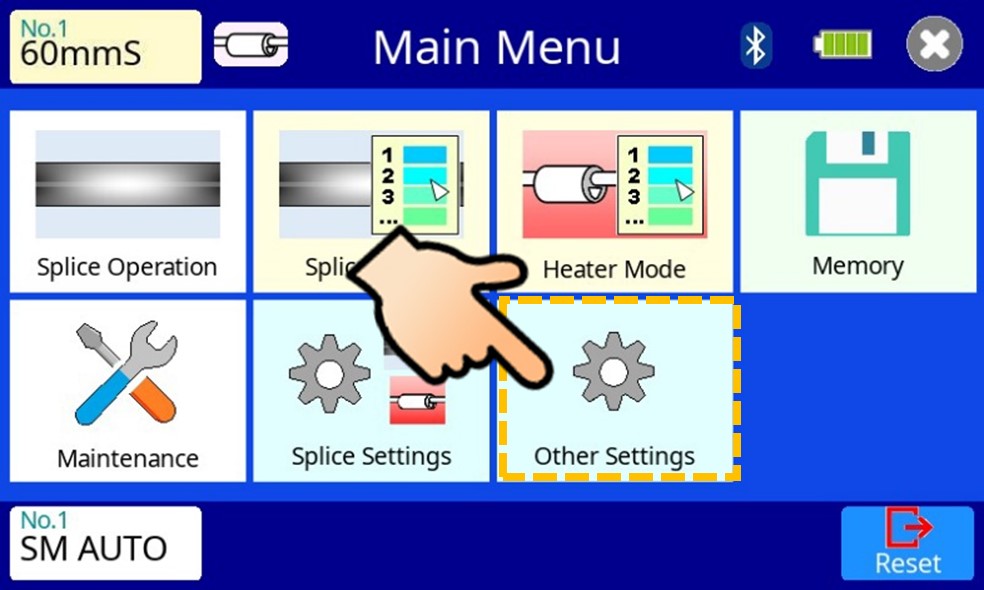
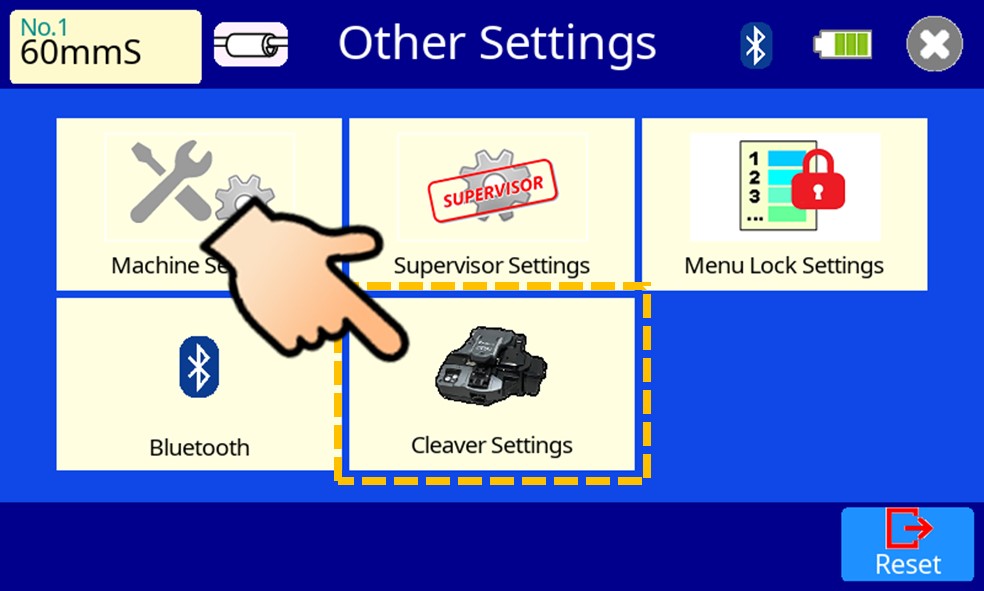
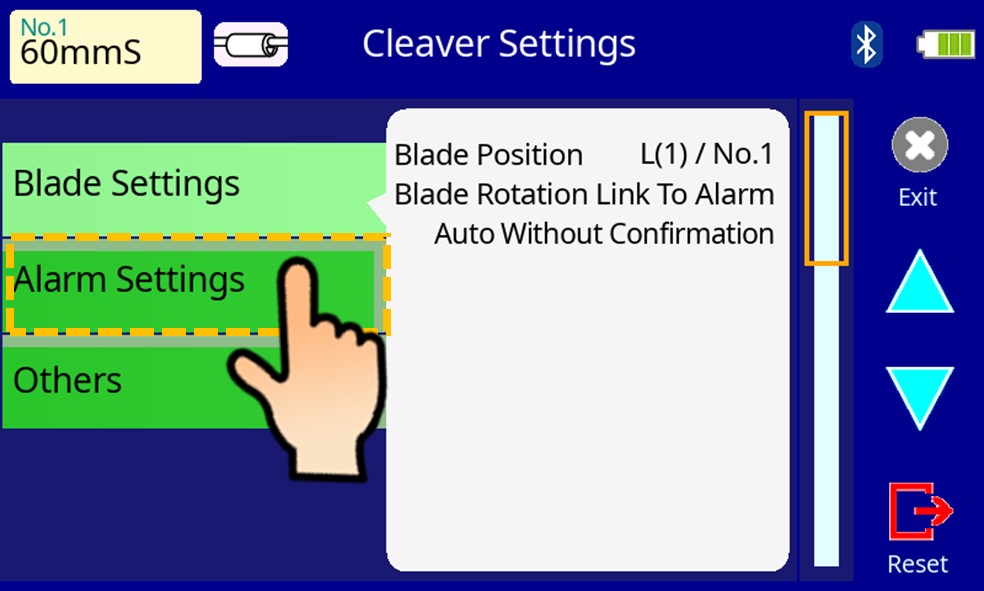
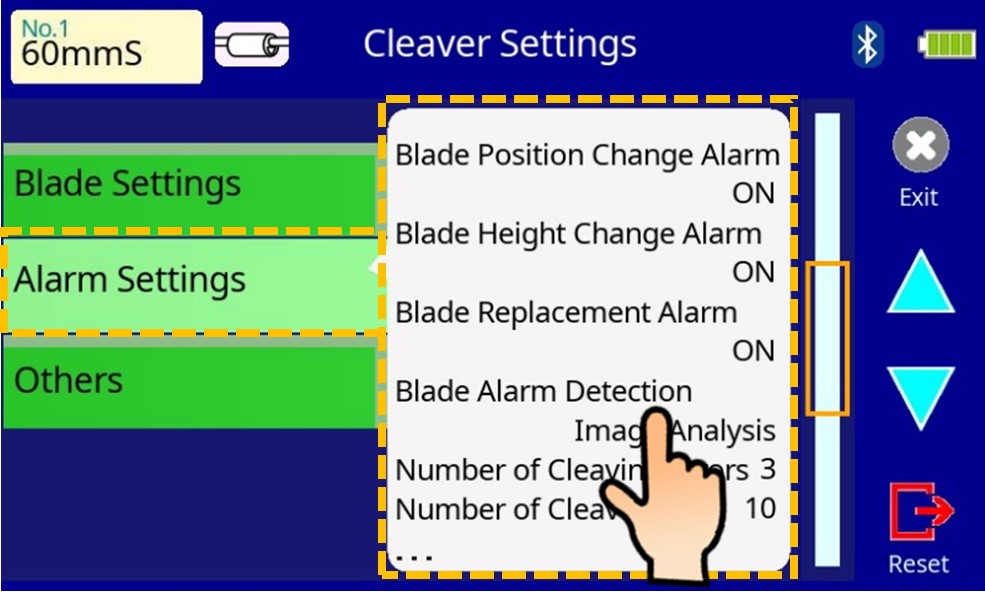
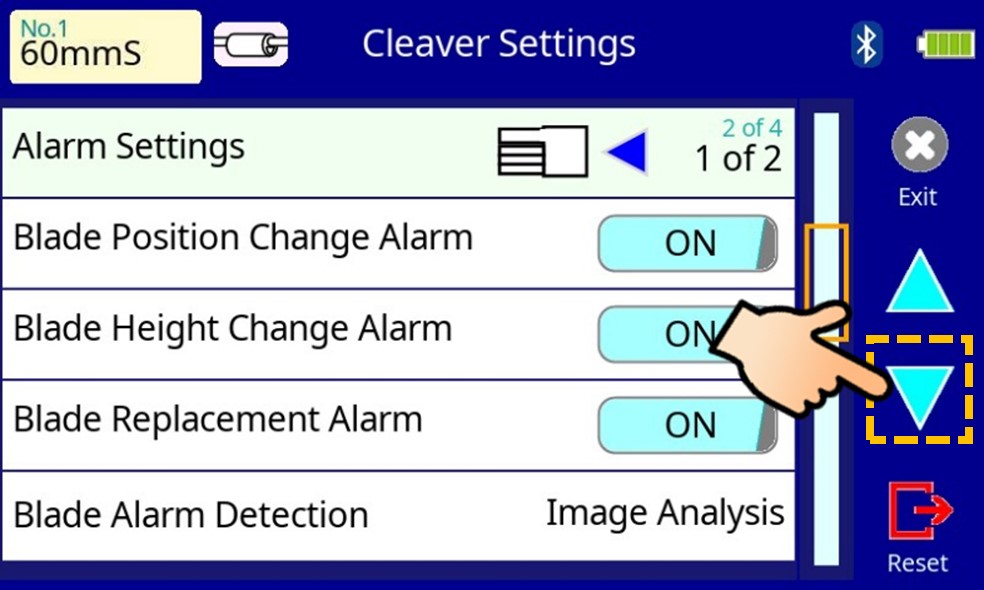
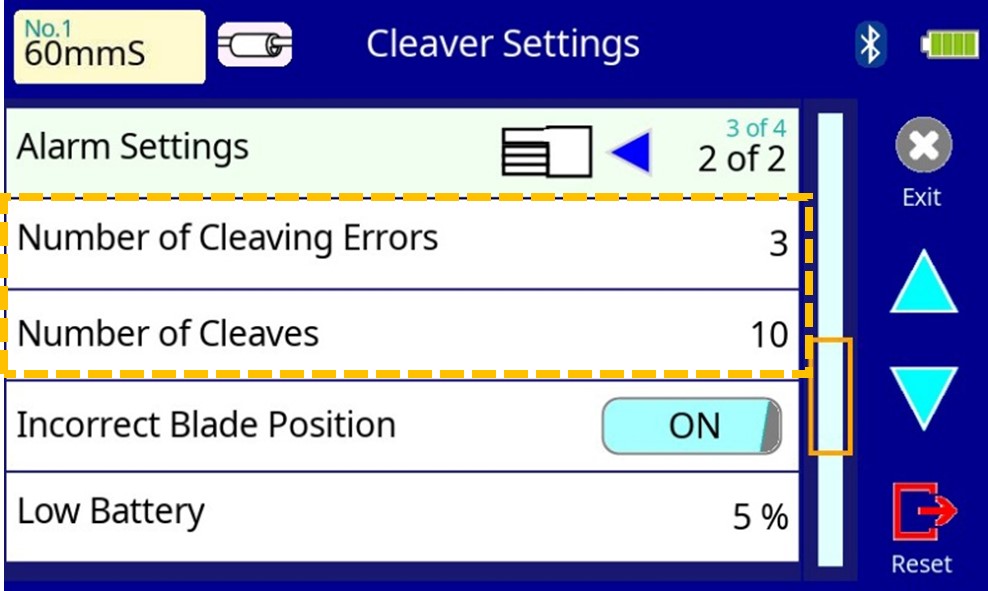
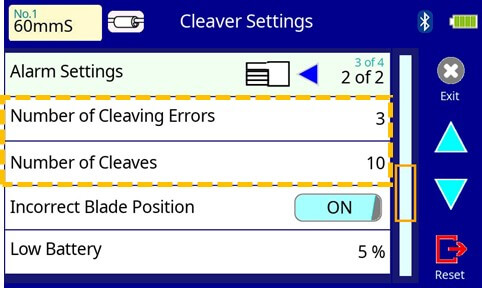
How to Blade Rotation Management of CT50 WATCH THIS VIDEO Blade rotation ON/OFF Splicer Settings Blade rotation ON/OFF Splicer Settings ❶Tap HOME icon ❷Tab “Other Settings” ❸Tab “Cleaver Settings” ❹Tab are rounded orange ❺Tab “Blade Rotation Link to Alarm” ❻Select your favorite one Blade rotation threshold setting Splicer settings Blade rotation threshold setting Splicer Settings ❶Tap “Other Settings” ❷Tab “Cleaver Settings” ❸Set “Alarm Settings” ❹Tab area rounded orange ❺Tab down-arrow ❻Tap and set parameters Example)Number of Cleaving Error 3Number of Cleaves 10Splicer judged “blade worn” in case:3 times bad cleaving in recent 10 times cleavingDepending on settings the splicer ・send “rotate command” to CT50 ・show confirmation whether if send command or not ・show “blade worn” alarm Back